What is a block?
Everything in dicehub is a "block"
When you create your first page in dicehub and begin typing, you've started with a text block. But dicehub pages can contain a lot more than plain text!
Imagine every piece of content you add to a page — whether it's text, an image, or a table — as a single building block. Every page is a stack of blocks combined however you want.
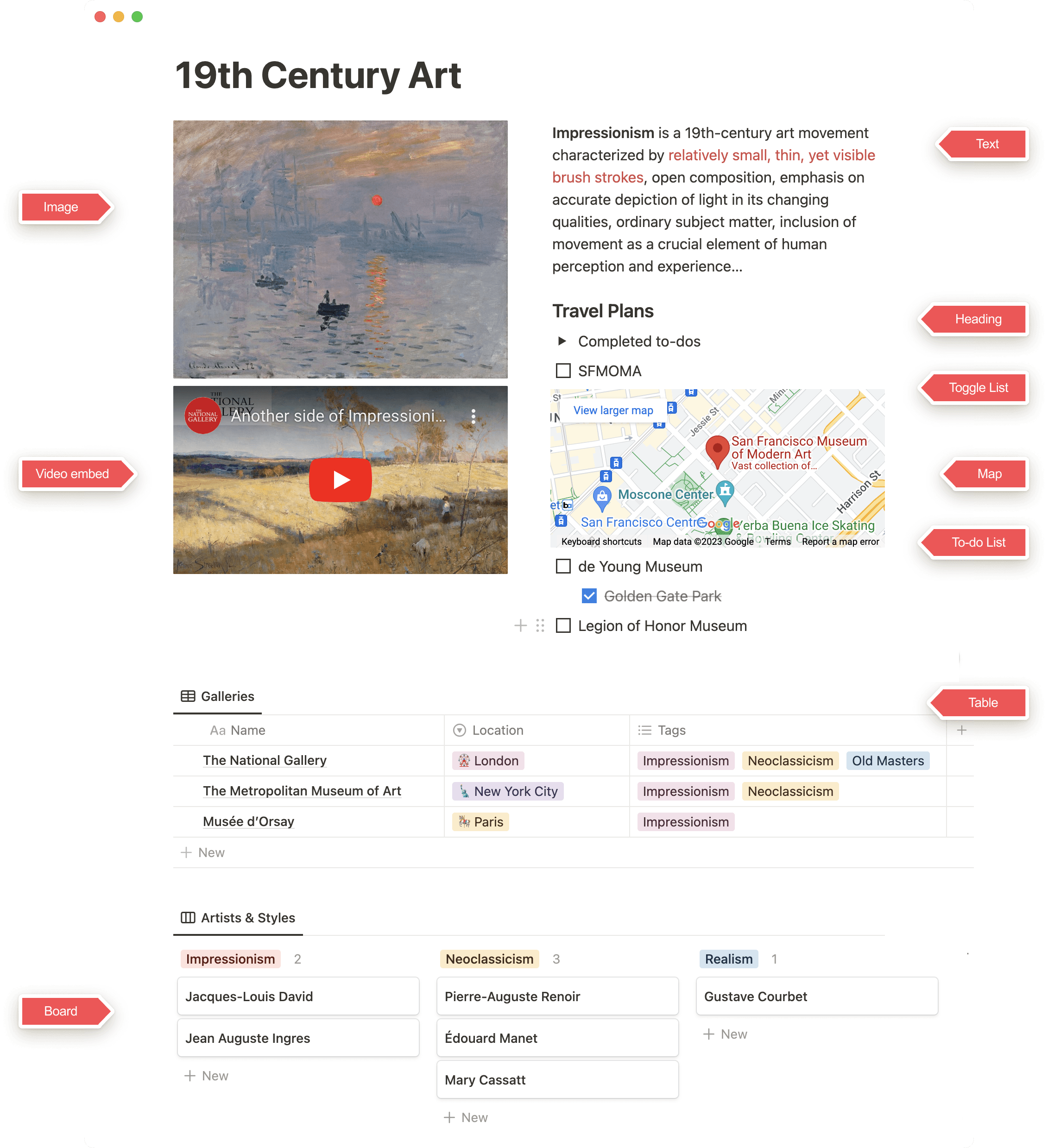
Here's just one example page with different block types pointed out:
Blocks can transform
Any block in dicehub can be turned into any other type of block in order to use, view, or deepen that information in a new way.
Try this out by clicking the ⋮⋮ symbol and choosing Turn into to convert your block to something else!
Blocks can be rearranged
The ⋮⋮ button can be used to drag and drop existing blocks. This makes it simple to rearrange, reorder, and reshape your thoughts with one motion.